Command-line Options
Use command-line parameters to launch a specific Project automatically at launch. Simply append the full path to the Project file after the executable file path in a shortcut.
Configuration
By default Subdirectory Copy installs in the following directory:
C:\Program Files\Fumbly Diddle Software\Subdirectory Copy\subcopy.exe
Assuming you have a Subdirectory Copy Project file located at:
C:\Users\john\Documents\Car Music.scpy
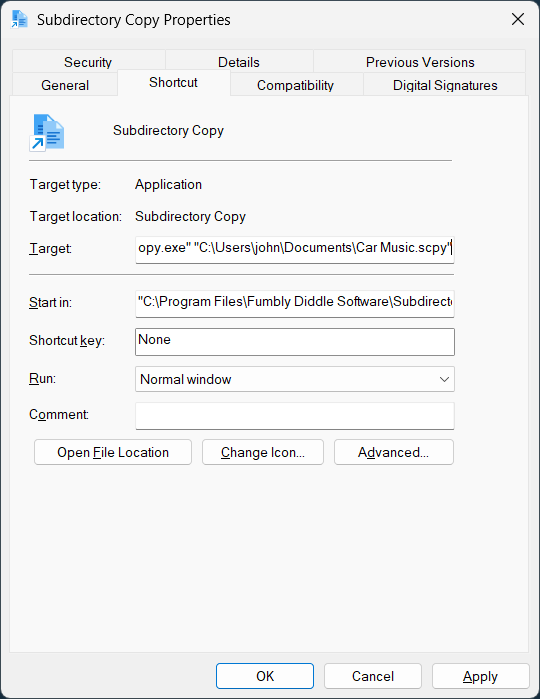
Populate the Target field on a shortcut using the following command-line:
"C:\Program Files\Fumbly Diddle Software\Subdirectory Copy\subcopy.exe" "C:\Users\john\Documents\Car Music.scpy"
Here's an example screenshot:
Operation
With this configuration in place, double click on the shortcut and Windows will launch the application then open the specified Project file.
If Subdirectory Copy is already open, the currently running instance will activate then open the configured Project file.
Exception
If the Subdirectory Copy application is open and displaying the Copy Source Directories dialog, launching a different Project via a shortcut will fail with the following error:
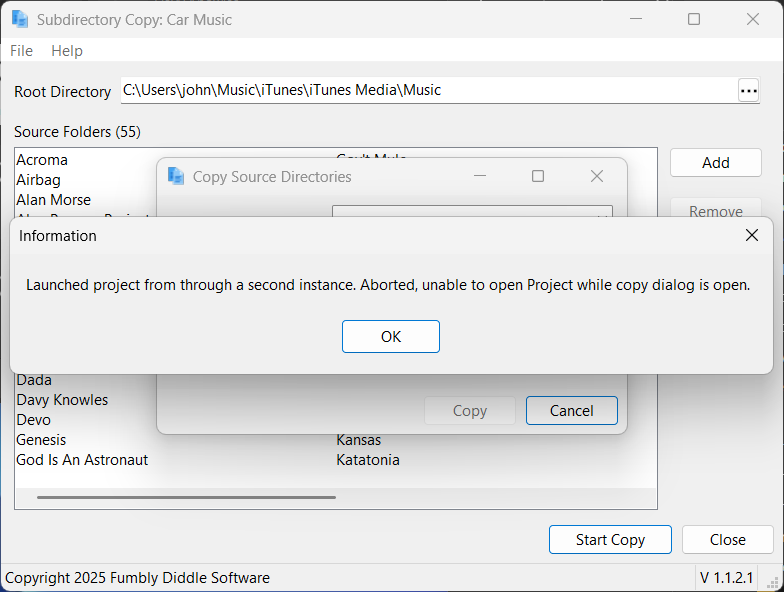
To fix this issue, simply close the Copy Source Directories dialog and launch the project from the shortcut again.